
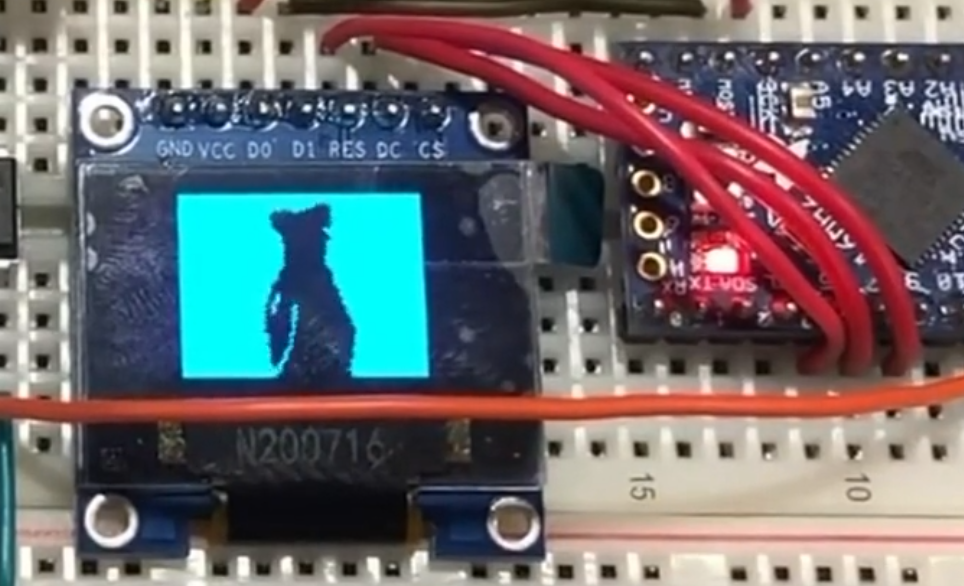
There’s a saying on the internet that goes: “If it exists, you can play Bad Apple on it.” And I have a 0.96” 128×64 OLED Display. I think you can see where this is going.
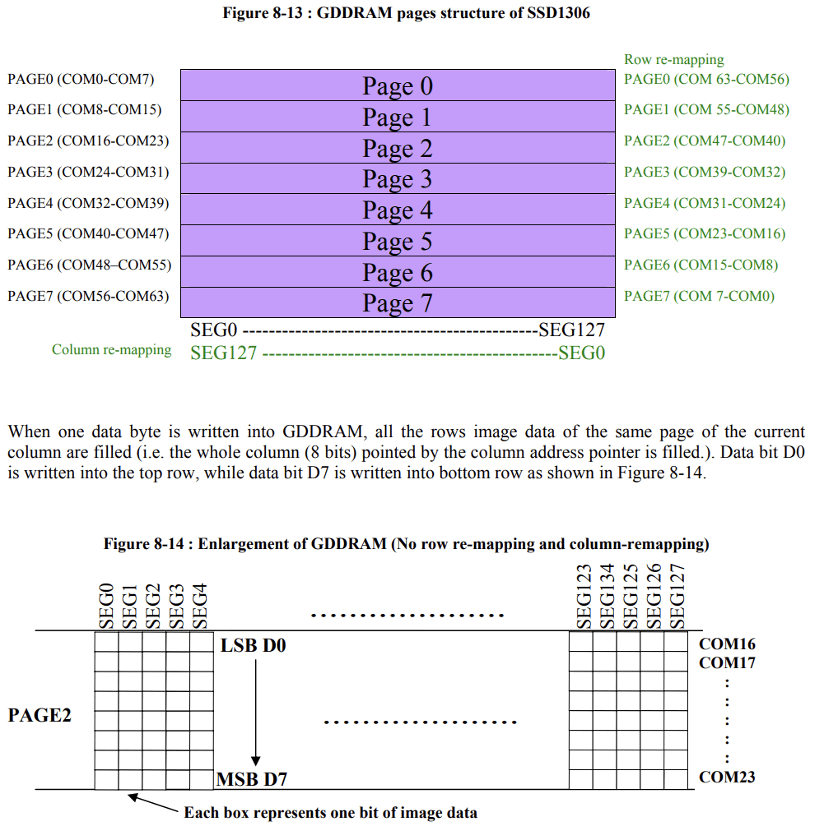
Getting this to work was no easy task. First of all, I didn’t have an SD card, so the only way of getting video and audio in time was to stream it through serial via USB. Another problem was that the base library function of writing a pixel with a colour takes several instructions to run even though many of them are not required for what I am doing here. So what I did instead was to look in the display documentation on how the buffer space gets translated to pixel space. I found that you can essentially write 8 pixels simultaneously with one instruction, with the caveat being that the pixels being written to are next to each other vertically instead of horizontally.
Another problem that I had encountered was the synchronization of the video and the audio. What I tried doing was having the Arduino ping the computer every time it needed video or audio data; however, the timing was still off sometimes, so I ended up sending both video and audio data at the same time with precisely calculated buffer sizes so they could stay in sync.
 Spotlight: STEM Publication